Secure TiddlyWiki with Pomerium
What this guide does
You'll put TiddlyWiki on Node.js behind Pomerium so that Pomerium handles single sign-on and authorization. The TiddlyWiki Node.js server has no login of its own, so Pomerium also forwards the authenticated user's email in a request header. TiddlyWiki trusts that header as the logged-in user, which means edits are attributed to a real identity instead of an anonymous visitor.
When to use this guide
Use it when you run the TiddlyWiki Node.js server (not the single-file HTML version) and want one authenticated front door for it with your existing identity. If you only need to reach a private TiddlyWiki over the network without browser SSO, a plain TCP route is a simpler fit.
Prerequisites
This guide assumes you've completed the Quickstart, so you already have Pomerium running and signing users in through the hosted authenticate service.
You also need:
- Docker and Docker Compose
- A domain you control for the TiddlyWiki route (this guide uses
tiddlywiki.yourdomain.com)
This guide uses the hosted authenticate service so you don't have to run an identity provider (IdP). To run your own instead, follow Keycloak + Pomerium and swap the authenticate_service_url / idp_* settings into the config below.
Configure Pomerium
- Pomerium Zero
- Pomerium Core
In the Zero Console:
- Create a Route. In From, enter
https://tiddlywiki.yourdomain.com; in To, enterhttp://tiddlywiki:8080. - Set the policy to Any Authenticated User, or scope it to the people who should have access.
- On the Headers tab, enable Pass Identity Headers, then add a JWT claim header that maps the
emailclaim toX-Pomerium-Claim-Email. This is the header TiddlyWiki reads in the next section.
Create a config.yaml. It routes tiddlywiki.yourdomain.com to the TiddlyWiki container, passes identity headers, and uses jwt_claims_headers to forward the user's email in an unsigned X-Pomerium-Claim-Email header.
# Pomerium Core configuration for TiddlyWiki. Uses the hosted authenticate service,
# so you don't run your own identity provider. To self-host the IdP, see the Keycloak
# guide: https://www.pomerium.com/docs/integrations/user-identity/oidc
authenticate_service_url: https://authenticate.pomerium.app

# Obtain TLS certificates automatically from Let's Encrypt.
autocert: true

# Forward the authenticated user's email to TiddlyWiki in an unsigned request header.
# TiddlyWiki's listen command trusts this header as the logged-in username.
jwt_claims_headers:
  X-Pomerium-Claim-Email: email

routes:
  - from: https://tiddlywiki.yourdomain.com
    to: http://tiddlywiki:8080
    pass_identity_headers: true
    policy:
      - allow:
          or:
            - email:
                is: you@example.com
Replace tiddlywiki.yourdomain.com with your domain and you@example.com with your email. The jwt_claims_headers setting forwards the email claim in the named header, and pass_identity_headers tells Pomerium to attach the identity headers to every upstream request.
Configure TiddlyWiki
The TiddlyWiki Node.js server is started with its ListenCommand. Two of its parameters matter here:
host=0.0.0.0so the server accepts connections from the Pomerium container on the Docker network.authenticated-user-header=x-pomerium-claim-emailso TiddlyWiki treats the email Pomerium forwards as the logged-in username. This value must match the header name fromjwt_claims_headers.
The Compose file below runs a one-shot init step that creates the wiki folder with the server edition, then starts the listener with those parameters.
Run the stack
The Compose file runs Pomerium Core and TiddlyWiki together (for Zero, drop the pomerium service and use the compose.yaml from the Quickstart with your POMERIUM_ZERO_TOKEN, keeping the tiddlywiki services below):
services:
  pomerium:
    image: pomerium/pomerium@sha256:e10d1d267af24f581157f485d9b0bc08469e2428675b696a08e42ceb09b2279c # v0.32.7
    volumes:
      - ./config.yaml:/pomerium/config.yaml:ro
      - pomerium-cache:/data
    ports:
      - 443:443
      - 80:80
    networks:
      default: {}
      tiddlywiki-internal: {}
    restart: always

  # One-shot: create the wiki folder with the Node.js server edition if it doesn't
  # already exist, then exit. The guard keeps repeated `docker compose up` runs working.
  tiddlywiki-init:
    image: elasticdog/tiddlywiki@sha256:6fdb8c46c92680c48be5eca5d35cf477b111285481e2ce1717c7dfa131476b17 # v5.1.23
    entrypoint: ['/bin/sh', '-c']
    command:
      - 'test -f /tiddlywiki/mywiki/tiddlywiki.info || tiddlywiki mywiki --init server'
    volumes:
      - tiddlywiki-data:/tiddlywiki
    networks:
      tiddlywiki-internal: {}

  tiddlywiki:
    image: elasticdog/tiddlywiki@sha256:6fdb8c46c92680c48be5eca5d35cf477b111285481e2ce1717c7dfa131476b17 # v5.1.23
    volumes:
      - tiddlywiki-data:/tiddlywiki
    # authenticated-user-header tells TiddlyWiki to trust the email Pomerium
    # forwards as the logged-in user. It must match the jwt_claims_headers name.
    command:
      - mywiki
      - --listen
      - host=0.0.0.0
      - authenticated-user-header=x-pomerium-claim-email
    depends_on:
      tiddlywiki-init:
        condition: service_completed_successfully
    # Internal-only network with no published ports: TiddlyWiki trusts the identity
    # header, so the only thing allowed to reach it is Pomerium.
    networks:
      tiddlywiki-internal: {}
    restart: always

networks:
  tiddlywiki-internal:
    internal: true

volumes:
  pomerium-cache:
  tiddlywiki-data:
Start it:
docker compose up -d
Verify the setup
- The route requires authentication. In a fresh browser, open
https://tiddlywiki.yourdomain.com. You should be redirected to sign in, not straight into the wiki. - An allowed user gets in. Sign in. Pomerium redirects you back to TiddlyWiki.
- TiddlyWiki recognizes the identity. Open
https://tiddlywiki.yourdomain.com/status. The JSON response should show your email asusernameandanonymous: false, confirming TiddlyWiki trusts the forwarded header. - A disallowed user is blocked. Sign in as a user your policy excludes and open
https://tiddlywiki.yourdomain.com. Pomerium denies access, so no identity header is forwarded and you never reach the wiki.
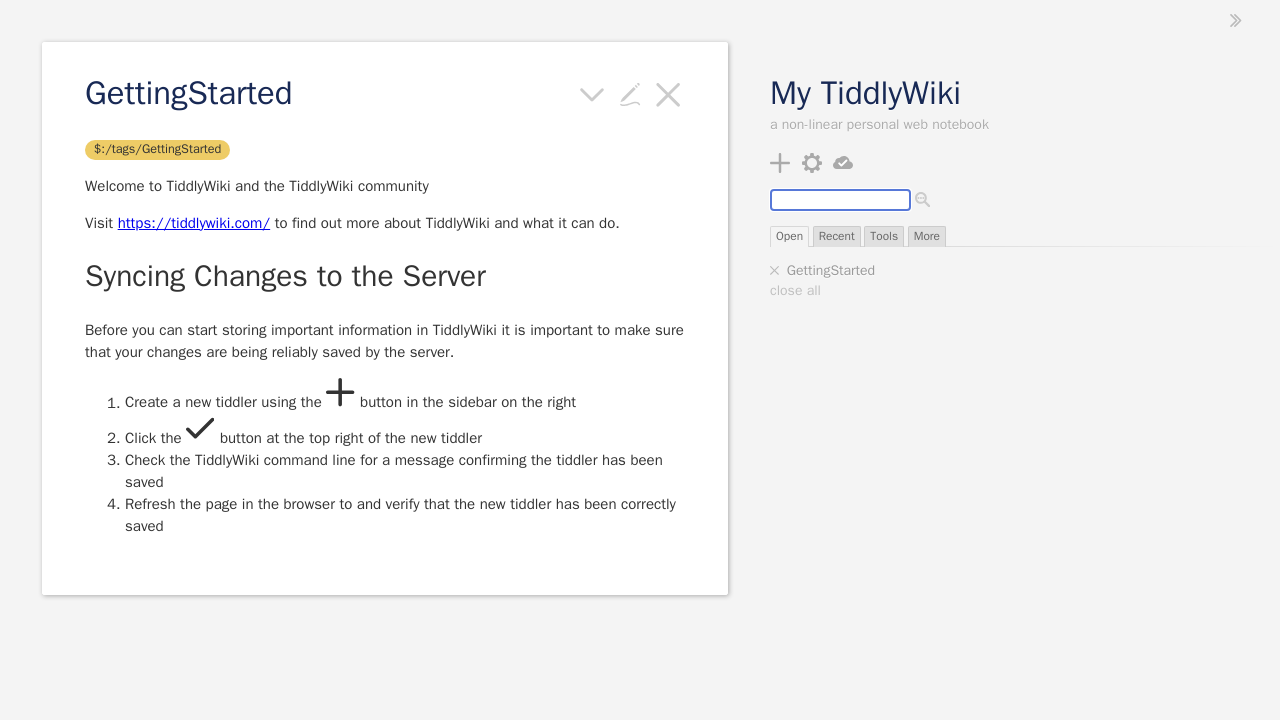
Signed in, the wiki loads with your identity in place of an anonymous visitor:
Common failure modes
- TiddlyWiki always shows an anonymous user. The header name on both sides doesn't match. Make sure
authenticated-user-headerequals the header injwt_claims_headers(the comparison is case-insensitive, but the names must otherwise be identical), and thatpass_identity_headersis enabled on the route. Wiki folder is not emptyon startup. TiddlyWiki's--initfails against a folder that already contains a wiki. The Compose file guards against this so repeateddocker compose upruns work; if you adapted the init step, only run it whenmywiki/tiddlywiki.infois absent.- Redirect loop or certificate errors. Make sure DNS for
tiddlywiki.yourdomain.compoints at Pomerium and that Pomerium can obtain a TLS certificate. On the Core path,autocertneeds ports 80 and 443 reachable for Let's Encrypt; Zero manages certificates for you.
Security considerations
TiddlyWiki blindly trusts whatever arrives in authenticated-user-header. It does not verify a signature, so the whole model rests on two things being true at once: Pomerium owns that header, and nothing else can reach TiddlyWiki.
- Pomerium owns the header. A client cannot impersonate someone by sending its own
X-Pomerium-Claim-Email. Pomerium overwrites the inbound header with the authenticated identity before the request reaches the upstream, so a request that smugglesattacker@evil.comthrough Pomerium still arrives stamped with the real signed-in user. TiddlyWiki's/statuskeeps reporting the genuine identity. - Nothing else can reach TiddlyWiki. Because the header is unsigned, a client that connects to TiddlyWiki directly could set the header to anyone. The Compose file puts TiddlyWiki on an
internal: truenetwork shared only with Pomerium and publishes no ports for it, so the only path in is through Pomerium. Never publish the TiddlyWiki port. If you need the upstream to cryptographically verify the identity itself rather than relying on network isolation, use a signed JWT instead; TiddlyWiki's header auth does not check signatures. - Scope the route policy (group or domain) to who should have access. Every allowed user becomes a named TiddlyWiki editor.