Secure ToolJet with Pomerium
What this guide does
ToolJet is a self-hosted, low-code platform for building internal tools. This guide puts a self-hosted ToolJet instance behind Pomerium so every request is authenticated against your identity provider before it reaches the app. Pomerium acts as the front door: unauthenticated visitors are redirected to your IdP and never touch ToolJet.
ToolJet keeps its own accounts and role-based access control, so Pomerium does not replace ToolJet's login. Instead, Pomerium gates network access to the instance, and ToolJet's RBAC governs what each signed-in user can do once inside.
When to use this guide
Use this guide when you run ToolJet yourself with Docker Compose and want a single, identity-aware entry point in front of it. It is a good fit if you already protect other services with Pomerium and want ToolJet to follow the same access policy.
If you only need ToolJet's built-in SSO and have no other services to protect, you may not need Pomerium at all. The value here is a consistent policy boundary across all of your internal tools.
Prerequisites
- A working Pomerium deployment. If you don't have one, follow the quickstart first.
- Docker and Docker Compose.
- A domain you control, with a DNS record pointing the ToolJet hostname (for example
tooljet.yourdomain.com) at your Pomerium instance.
Configure Pomerium
- Pomerium Zero
- Pomerium Core
In the Zero Console, create a route for ToolJet:
- Set From to the external URL you want, for example
https://tooljet.yourdomain.com. - Set To to the ToolJet service, for example
http://tooljet:80. - Under Headers, enable Preserve host header. ToolJet validates the incoming
Hostagainst itsTOOLJET_HOSTvalue, so the forwarded request must carry the public hostname rather than the internal service name. - Attach a policy that allows the users who should reach ToolJet.
That's the whole Pomerium side. Zero manages the hosted authenticate service and TLS for you.
Create a config.yaml for Pomerium Core:
# Pomerium Core configuration for ToolJet. Uses the hosted authenticate service, so
# you don't run your own identity provider. To self-host the IdP, see the Keycloak
# guide: https://www.pomerium.com/docs/integrations/user-identity/oidc
authenticate_service_url: https://authenticate.pomerium.app

# Obtain TLS certificates automatically from Let's Encrypt.
autocert: true

routes:
  - from: https://tooljet.yourdomain.com
    to: http://tooljet:80
    # ToolJet validates the Host header against TOOLJET_HOST. The route's from-host
    # already equals TOOLJET_HOST, so forward that incoming Host to the upstream.
    preserve_host_header: true
    policy:
      - allow:
          or:
            - email:
                is: you@example.com
Replace tooljet.yourdomain.com with your hostname and you@example.com with the identity that should be allowed in. The preserve_host_header: true setting is what makes ToolJet accept the proxied request: ToolJet rejects any request whose Host header does not match TOOLJET_HOST. Because the route's external hostname already equals TOOLJET_HOST, preserving the incoming Host forwards the right value to the upstream.
This config uses the hosted authenticate service (authenticate.pomerium.app), so you don't run your own identity provider.
To run your own IdP instead, point authenticate_service_url at your own authenticate service and configure an OIDC provider. See the Keycloak fallback for a fully self-hosted setup.
Configure ToolJet
ToolJet needs a PostgreSQL database and a few secrets. Generate the two encryption keys before you start:
# LOCKBOX_MASTER_KEY: 32 bytes of hex
openssl rand -hex 32
# SECRET_KEY_BASE: 64 bytes of hex
openssl rand -hex 64
Put those values into the LOCKBOX_MASTER_KEY and SECRET_KEY_BASE environment variables in the Compose file below, and set TOOLJET_HOST to the same external URL you used in your Pomerium route. The PG_* variables point ToolJet at the bundled PostgreSQL service, and the TOOLJET_DB_* variables back ToolJet's built-in database, which reuses the same PostgreSQL server here.
You do not need to run migrations by hand. The tooljet/tooljet-ce image waits for PostgreSQL and runs its database setup automatically on first boot, which is why the first start takes a few minutes. The image also bundles Redis, so no separate Redis service is required for a single-instance deployment.
See ToolJet's environment variable reference for the full list of options.
Run the stack
The Compose file below runs Pomerium Core, ToolJet, and PostgreSQL together:
services:
  pomerium:
    image: pomerium/pomerium@sha256:e10d1d267af24f581157f485d9b0bc08469e2428675b696a08e42ceb09b2279c # v0.32.7
    volumes:
      - ./config.yaml:/pomerium/config.yaml:ro
      - pomerium-cache:/data
    ports:
      - 443:443
      - 80:80
    restart: always

  tooljet:
    image: tooljet/tooljet-ce@sha256:bc3f53b35a6264742f30384463ed062d9e6325c539805efd603281d899e943e6
    tty: true
    stdin_open: true
    command: npm run start:prod
    environment:
      # The public URL Pomerium serves ToolJet on. ToolJet rejects requests whose
      # Host header doesn't match, which is why the route preserves the Host header.
      TOOLJET_HOST: https://tooljet.yourdomain.com
      PORT: '80'
      SERVE_CLIENT: 'true'
      # Encryption keys. Generate your own and keep them secret:
      #   openssl rand -hex 32   (LOCKBOX_MASTER_KEY)
      #   openssl rand -hex 64   (SECRET_KEY_BASE)
      LOCKBOX_MASTER_KEY: REPLACE_WITH_64_CHAR_HEX
      SECRET_KEY_BASE: REPLACE_WITH_128_CHAR_HEX
      # PostgreSQL connection. The bundled entrypoint runs migrations on first boot.
      PG_HOST: postgres
      PG_PORT: '5432'
      PG_USER: postgres
      PG_PASS: postgres
      PG_DB: tooljet_production
      # ToolJet's built-in database. It reuses the same PostgreSQL server here.
      TOOLJET_DB: tooljet_db
      TOOLJET_DB_HOST: postgres
      TOOLJET_DB_USER: postgres
      TOOLJET_DB_PASS: postgres
    depends_on:
      postgres:
        condition: service_healthy
    restart: always

  postgres:
    image: postgres@sha256:4b7183ac05f8ef417db21fd72d71047a4238340c261d3cc3ddb6d579ab5071ae # 16
    environment:
      POSTGRES_USER: postgres
      POSTGRES_PASSWORD: postgres
    volumes:
      - postgres-data:/var/lib/postgresql/data
    healthcheck:
      test: ['CMD-SHELL', 'pg_isready -U postgres']
      interval: 5s
      timeout: 5s
      retries: 20
    restart: always

volumes:
  pomerium-cache:
  postgres-data:
Start everything:
docker compose up -d
The first boot runs ToolJet's database migrations, so give it a few minutes. Watch docker compose logs -f tooljet until ToolJet reports it is ready.
Verify the setup
-
In a private browser window, go to
https://tooljet.yourdomain.com. Pomerium should redirect you to your identity provider rather than showing ToolJet. -
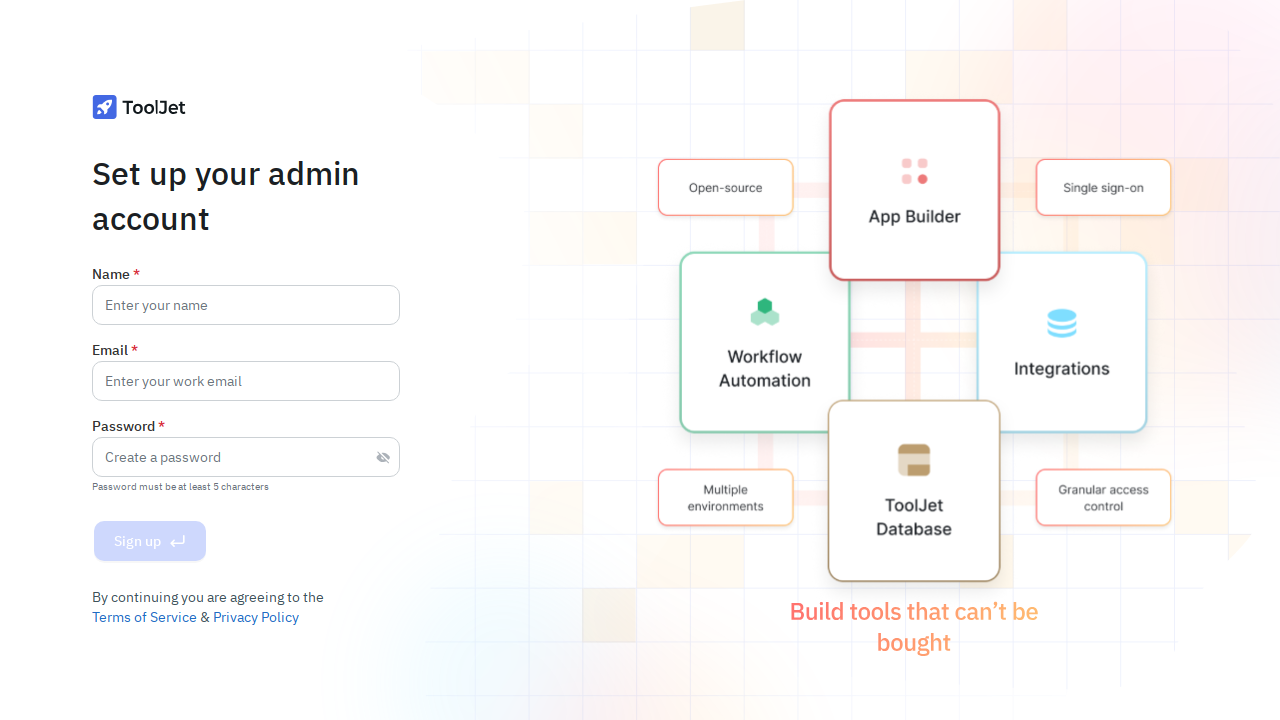
Sign in with a user your policy allows. After login you should land on ToolJet's own setup screen, served through Pomerium:
-
Complete ToolJet's first-run workspace setup and create your admin account. From here ToolJet's own RBAC governs the workspace.
-
A disallowed user is blocked. Sign in as a user your policy excludes and open
https://tooljet.yourdomain.com. Pomerium should deny access, so you never reach ToolJet.
If an unauthenticated request reaches ToolJet directly, or an allowed user can't get past the IdP, revisit the route policy and the preserve-host-header setting.
Common failure modes
- ToolJet returns a host or "invalid host" error. The forwarded
Hostheader doesn't matchTOOLJET_HOST. Confirm the route forwards the public hostname (preserve_host_header: truein Core, or Preserve host header in Zero) and thatTOOLJET_HOSTexactly matches your external URL, including the scheme. - ToolJet never becomes healthy on first boot. Migrations run against PostgreSQL at startup; check
docker compose logs tooljetanddocker compose logs postgres. A wrongPG_HOST,PG_USER,PG_PASS, orPG_DBwill stall the setup step. - Login loops or "signature" errors. Make sure
LOCKBOX_MASTER_KEYandSECRET_KEY_BASEare set to stable, sufficiently long values and aren't regenerated between restarts.
Security considerations
Pomerium only protects ToolJet if ToolJet is unreachable except through Pomerium. Do not publish ToolJet's port directly; keep it on the internal Compose network so the proxy is the only path in. In the example, ToolJet is reachable on the Compose network as http://tooljet:80 and is never published to the host.
Because ToolJet runs its own authentication and RBAC, users sign in twice: once at your IdP through Pomerium, and once to ToolJet. That is expected. Treat Pomerium as the network gate and ToolJet's RBAC as the in-app authorization layer, and keep both policies aligned so the two layers don't drift apart.
Next steps
- Tighten the route policy to specific groups or domains. See policy.
- Review ToolJet's own permissions model to map IdP groups onto ToolJet roles.
- Put your other internal tools behind the same Pomerium instance for one consistent access boundary.