Secure Forgejo with Pomerium
What this guide does
You'll put Forgejo, a self-hosted Git service, behind Pomerium so that Pomerium handles single sign-on and authorization, then forwards the user's identity to Forgejo as request headers. Forgejo trusts those headers (reverse-proxy authentication), signs the user in, and can auto-create the account on first visit. The result is single sign-on for the Forgejo web UI with no second password. The same setup also works with Gitea.
It leaves Forgejo's API reverse-proxy authentication disabled. Git operations, API clients, automations, and SSH access still need Forgejo access tokens or SSH keys.
When to use this guide
Use it when you want one front door for Forgejo with your existing identity, and you want Forgejo to provision and sign users in from Pomerium instead of maintaining its own password directory. Forgejo does not support Pomerium's signed-JWT login mode, so this guide relies on header-based reverse-proxy authentication; read the Security considerations before you deploy, because that mode trusts the identity header from any peer that can reach Forgejo.
Prerequisites
This guide assumes you've completed the Quickstart, so you already have Pomerium running and signing users in through the hosted authenticate service.
You also need:
- Docker and Docker Compose
- A domain you control for the Forgejo route (this guide uses
forgejo.yourdomain.com)
This guide uses the hosted authenticate service so you don't have to run an identity provider (IdP). To run your own instead, follow Keycloak + Pomerium and swap the authenticate_service_url / idp_* settings into the config below.
Configure Pomerium
Pomerium forwards the user's sub, email, and name claims as request headers. Forgejo usernames can't contain every character that's valid in an email address, so this uses the stable OIDC sub claim for the username and carries the real address in X-Pomerium-Claim-Email.
- Pomerium Zero
- Pomerium Core
In the Zero Console:
- Create a Route. In From, enter
https://forgejo.<your-starter-domain>; in To, enterhttp://forgejo:3000. - Set the policy to the user or domain that should reach Forgejo. Reverse-proxy auth trusts the forwarded header, so this policy is your real access gate; keep it tight.
- On the Headers tab, enable Pass Identity Headers, then add these JWT Claim Headers so the claims arrive under the names Forgejo expects below:
X-Pomerium-Subfromsub,X-Pomerium-Claim-Emailfromemail, andX-Pomerium-Claim-Namefromname. Save.
Create a config.yaml. It routes forgejo.yourdomain.com to the Forgejo container, forwards the identity claims as headers, and removes the total request timeout so long Git smart-HTTP transfers aren't cut off.
# Pomerium Core configuration for Forgejo. Uses the hosted authenticate service, so
# you don't run your own identity provider. To self-host the IdP, see the Keycloak
# guide: https://www.pomerium.com/docs/integrations/user-identity/oidc
authenticate_service_url: https://authenticate.pomerium.app

# Obtain TLS certificates automatically from Let's Encrypt.
autocert: true

# Forward the user's identity claims to Forgejo as request headers. Forgejo
# usernames cannot contain every character that is valid in an email address, so
# this uses the stable OIDC sub claim for the username and carries the real
# address in X-Pomerium-Claim-Email.
jwt_claims_headers:
  X-Pomerium-Sub: sub
  X-Pomerium-Claim-Email: email
  X-Pomerium-Claim-Name: name

routes:
  - from: https://forgejo.yourdomain.com
    to: http://forgejo:3000
    pass_identity_headers: true
    # Git transfers can be large and long-running; don't cap total request time.
    timeout: 0s
    idle_timeout: 600s
    policy:
      - allow:
          or:
            - email:
                # Replace with the users or domain you want to allow
                is: you@example.com
Replace forgejo.yourdomain.com with your domain and you@example.com with your user or domain. A few notes:
jwt_claims_headersforwards each claim as a request header;pass_identity_headerssends them to Forgejo.- If your identity provider's
subclaim isn't a valid Forgejo username, use another stable claim that's unique and already sanitized for Forgejo. - The policy authorizes who can reach Forgejo. Reverse-proxy auth trusts the header, so this policy is your real access gate.
Configure Forgejo
Configure Forgejo to trust and consume the headers. These map to app.ini settings, supplied as FORGEJO__<section>__<KEY> environment variables in the Compose file below. The key settings:
ENABLE_REVERSE_PROXY_AUTHENTICATIONmakes Forgejo read the identity header.ENABLE_REVERSE_PROXY_AUTO_REGISTRATIONcreates the account on first visit;..._EMAILand..._FULL_NAMEpopulate it from the other headers.REVERSE_PROXY_AUTHENTICATION_USER/_EMAIL/_FULL_NAMEmust match the header names Pomerium emits (Forgejo's defaults areX-WEBAUTH-USER/-EMAIL/-FULLNAME).DISABLE_REGISTRATION: falseallows trusted external provisioning, whileALLOW_ONLY_EXTERNAL_REGISTRATION: trueandSHOW_REGISTRATION_BUTTON: falsekeep the local sign-up form closed.
REVERSE_PROXY_TRUSTED_PROXIES only tells Forgejo how to derive the real client IP from X-Forwarded-For for its logs and rate limiting. It does not restrict which peer the identity header is trusted from; see Security considerations.
Run the stack
The Compose file runs Pomerium Core and Forgejo together (for Zero, drop the pomerium service and use the compose.yaml from the Quickstart with your POMERIUM_ZERO_TOKEN, keeping the forgejo service and its network below):
services:
  pomerium:
    image: pomerium/pomerium:v0.32.7@sha256:e10d1d267af24f581157f485d9b0bc08469e2428675b696a08e42ceb09b2279c
    volumes:
      - ./config.yaml:/pomerium/config.yaml:ro
      - pomerium-cache:/data
    ports:
      - 443:443
      - 80:80
    networks:
      default: {}
      forgejo-internal:
        ipv4_address: 172.30.0.2
    restart: always

  forgejo:
    image: codeberg.org/forgejo/forgejo:15.0.2@sha256:db04c7114b656f896e206ba3873fe8d3a7adf2daa44907037f0274f4ba653fb9
    # Reverse-proxy auth trusts the identity header from ANY peer that can reach
    # forgejo:3000, and REVERSE_PROXY_TRUSTED_PROXIES does NOT change that (it only
    # affects X-Forwarded-For parsing). Network isolation is the trust boundary:
    # forgejo sits on an internal-only network with Pomerium and nothing else.
    networks:
      forgejo-internal: {}
    volumes:
      - forgejo-data:/data
    environment:
      FORGEJO__server__ROOT_URL: 'https://forgejo.yourdomain.com/'
      FORGEJO__database__DB_TYPE: 'sqlite3'
      FORGEJO__security__INSTALL_LOCK: 'true'
      FORGEJO__service__REQUIRE_SIGNIN_VIEW: 'true'

      # Reverse-proxy SSO: Forgejo trusts the identity header Pomerium forwards.
      FORGEJO__service__ENABLE_REVERSE_PROXY_AUTHENTICATION: 'true'
      # Web UI sign-in only. Keep header auth off the API so tokens/SSH stay the
      # path for Git and API clients (set explicitly, not relying on the default).
      FORGEJO__service__ENABLE_REVERSE_PROXY_AUTHENTICATION_API: 'false'
      FORGEJO__service__ENABLE_REVERSE_PROXY_AUTO_REGISTRATION: 'true'
      FORGEJO__service__ENABLE_REVERSE_PROXY_EMAIL: 'true'
      FORGEJO__service__ENABLE_REVERSE_PROXY_FULL_NAME: 'true'
      # Allow provisioning via the proxy, but keep the local sign-up form closed.
      FORGEJO__service__DISABLE_REGISTRATION: 'false'
      FORGEJO__service__ALLOW_ONLY_EXTERNAL_REGISTRATION: 'true'
      FORGEJO__service__SHOW_REGISTRATION_BUTTON: 'false'

      # Header names must match what Pomerium sends (config.yaml above).
      FORGEJO__security__REVERSE_PROXY_AUTHENTICATION_USER: 'X-Pomerium-Sub'
      FORGEJO__security__REVERSE_PROXY_AUTHENTICATION_EMAIL: 'X-Pomerium-Claim-Email'
      FORGEJO__security__REVERSE_PROXY_AUTHENTICATION_FULL_NAME: 'X-Pomerium-Claim-Name'
      # For X-Forwarded-For client-IP parsing, list only Pomerium. This does not
      # restrict which peer the reverse-proxy auth header is trusted from. Must
      # be an IP/CIDR, not a hostname; the Compose network gives Pomerium a
      # fixed address.
      FORGEJO__security__REVERSE_PROXY_TRUSTED_PROXIES: '172.30.0.2/32'
      FORGEJO__security__REVERSE_PROXY_LIMIT: '1'
    restart: always

networks:
  # internal: true keeps Forgejo off the host and reachable only by Pomerium, which
  # the reverse-proxy-auth trust model requires. The fixed subnet gives Pomerium a
  # stable address for REVERSE_PROXY_TRUSTED_PROXIES.
  forgejo-internal:
    internal: true
    ipam:
      config:
        - subnet: 172.30.0.0/24

volumes:
  pomerium-cache:
  forgejo-data:
Start it:
docker compose up -d
The Compose file pins Forgejo and Pomerium by image digest so the stack is reproducible; the digest comment notes the Forgejo version (v15). Update the digests when you upgrade Forgejo, then sign in again to confirm it still works. To tear the stack down and delete the Forgejo data volume (all repositories and state), run docker compose down -v.
Verify the setup
-
The route requires authentication. In a fresh browser, open
https://forgejo.yourdomain.com. You should be redirected to sign in, not straight into Forgejo. -
An allowed user gets in. Sign in. Pomerium redirects you back to Forgejo.
-
SSO and auto-provisioning work. Forgejo signs you in and creates your account from the headers, with no Forgejo password. The account carries your real email; its username comes from the configured username claim, and its full name is populated only if your identity provider supplies a
nameclaim. You land on the authenticated Forgejo dashboard, signed in as your Pomerium identity: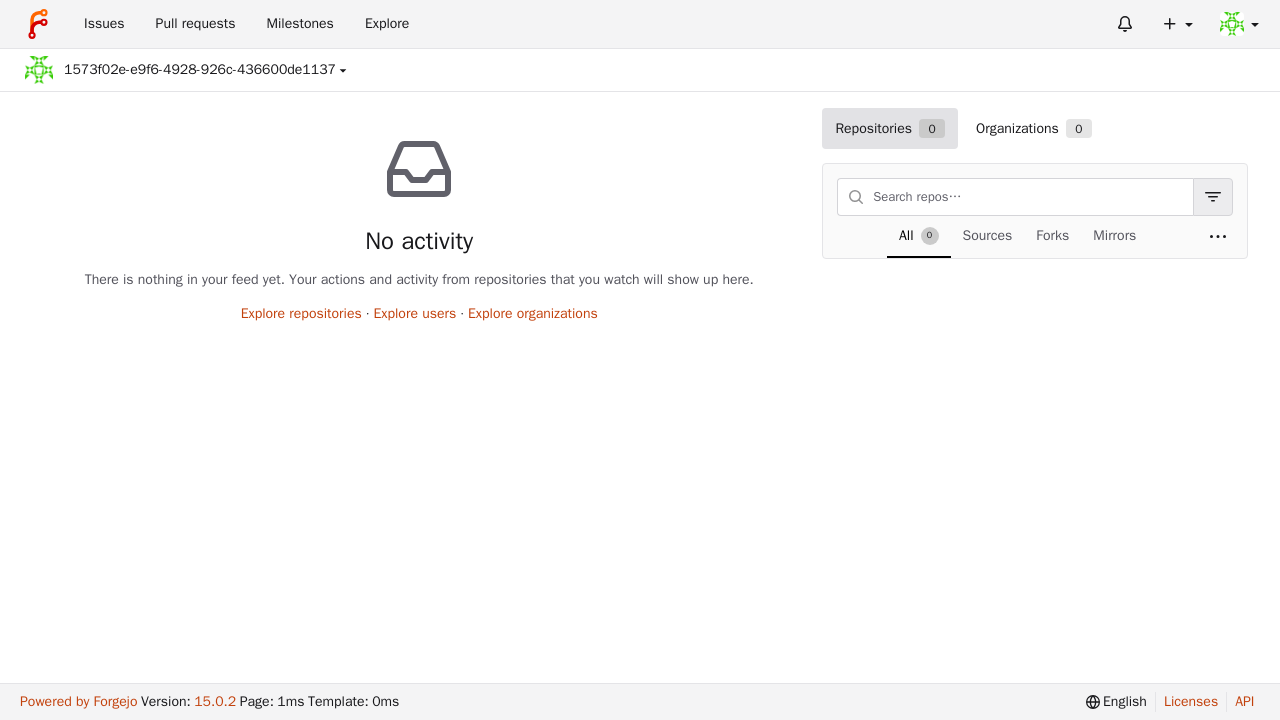
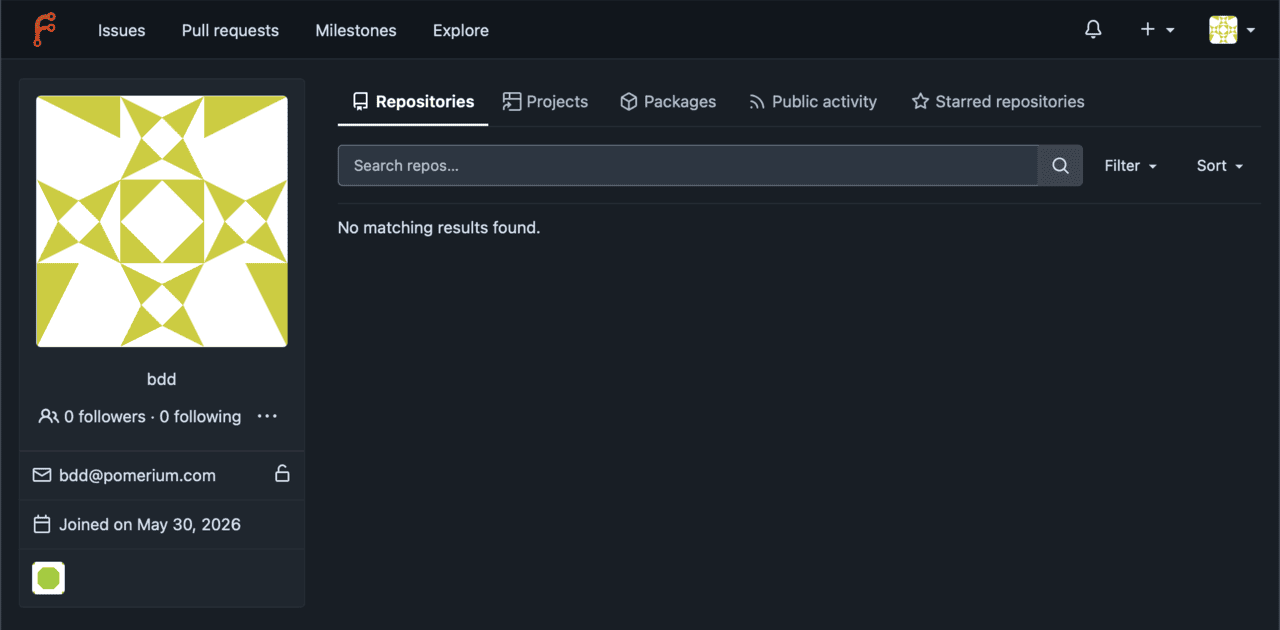
Open your Forgejo profile to confirm the account was provisioned from your Pomerium identity: the username comes from your username claim and the email matches the one Pomerium forwarded, with no Forgejo password ever set.
-
A disallowed user is blocked. Sign in as a user your policy excludes and open
https://forgejo.yourdomain.com. Pomerium denies access, so no identity headers are forwarded and Forgejo never provisions an account.
The first account Forgejo provisions becomes the instance administrator, so sign in through Pomerium first with the identity that should own Forgejo.
Common failure modes
- Pomerium returns
403. The route policy still allows only the example user. Replace it with your user or domain. - You reach Forgejo but aren't signed in or auto-provisioned. The header names in Pomerium (
jwt_claims_headers) and in Forgejo (REVERSE_PROXY_AUTHENTICATION_USER/_EMAIL/_FULL_NAME) must match exactly, andpass_identity_headersmust be set on the route. - Sign-in fails on the username. Forgejo rejects usernames containing characters such as
@. Use a stable, already-valid claim for the username (this guide usessub). - A direct request to the backend signs in. Expected: reverse-proxy auth trusts the header from any peer. It's why Forgejo must stay reachable only through Pomerium.
Security considerations
Reverse-proxy authentication means Forgejo trusts the identity header from any peer that can reach it. Forgejo does not verify Pomerium's signed X-Pomerium-Jwt-Assertion for login, and REVERSE_PROXY_TRUSTED_PROXIES does not gate which peer the header is trusted from. So network isolation is the only trust boundary: Forgejo must be reachable only through Pomerium.
Two properties make this safe, and only these two:
- Through Pomerium, a forged header is overwritten. For each claim it forwards, Pomerium sets the header from the real authenticated user, so a client that forges
X-Pomerium-SuborX-Pomerium-Claim-Emailthrough Pomerium is still signed in as its own identity, never the forged one. The username (sub) and email are always present, so they pin the account. The only soft spot is an optional claim Pomerium doesn't emit for a given user (for examplename, when the token carries none): a forgedX-Pomerium-Claim-Namecould pass through, but the worst case is a wrong display name, not a different account. - Direct access must be impossible. The risk is a client that bypasses Pomerium and talks to Forgejo directly: it can set those headers itself and impersonate anyone (the first such account would even become admin). Keep Forgejo on a network where only Pomerium can reach it.
To hold up that boundary:
- Don't publish Forgejo's port. In Docker Compose, keep only Pomerium on Forgejo's network and never map
3000to the host. Confirm the only containers on the network are Pomerium and Forgejo:docker network inspect forgejo-pomerium --format '{{range .Containers}}{{.Name}} {{end}}'. - In Kubernetes, a
ClusterIPservice alone isn't enough if arbitrary pods can connect to Forgejo. Use a policy-enforcing CNI and aNetworkPolicy(or another network control) to admit only Pomerium to the backend. REVERSE_PROXY_TRUSTED_PROXIESis not a security control for this. It only affectsX-Forwarded-Forparsing, not which peer the identity header is trusted from. Set it to Pomerium's IP/CIDR (never a hostname) for correct client-IP logging, but treat network isolation as the real boundary.- Keep a break-glass admin. Because the local sign-up form is closed and every request arrives pre-authenticated, create a recovery admin out of band:
docker compose exec -u git forgejo forgejo admin user create --username recovery-admin --email recovery-admin@example.com --random-password --admin. To use it, reach Forgejo without Pomerium's injected header (a trusted network, or temporarily settingENABLE_REVERSE_PROXY_AUTHENTICATIONtofalse).
Next steps
- Build policies
- Pass identity headers
- Mirror repositories into a Pomerium-gated warm standby