Secure Apache Guacamole with Pomerium
What this guide does
You'll put Apache Guacamole behind Pomerium so that Pomerium handles single sign-on and authorization, then forwards the authenticated user's email to Guacamole in an HTTP header. Guacamole's header authentication extension reads that header and signs the user in, so users don't get a second login prompt. Guacamole still seeds a local administrator account; rotate or delete it before exposing the service.
This guide secures access to the Guacamole gateway. It does not cover adding remote-desktop connections inside Guacamole.
When to use this guide
Use it when you want one front door for Guacamole with your existing identity and you want Pomerium, not Guacamole, to own authentication. Because Guacamole trusts the forwarded header, this pattern depends on Guacamole never being reachable except through Pomerium. See Security considerations before exposing it.
Prerequisites
This guide assumes you've completed the Quickstart, so you already have Pomerium running and signing users in through the hosted authenticate service.
You also need:
- Docker and Docker Compose
- A domain you control for the Guacamole route (this guide uses
guacamole.yourdomain.com)
Configure Pomerium
- Pomerium Zero
- Pomerium Core
In the Zero Console:
- Create a Route. In From, enter
https://guacamole.<your-starter-domain>; in To, enterhttp://guacamole:8080. - Set the policy to Any Authenticated User (or scope it to a group or domain).
- On the Headers tab, enable Pass Identity Headers, and add a JWT claim header mapping
emailtoX-Pomerium-Claim-Email. That unsigned header is what Guacamole reads to identify the user.
Create a config.yaml. It routes guacamole.yourdomain.com to the Guacamole container, passes identity headers, and forwards the user's email as X-Pomerium-Claim-Email:
# Pomerium Core configuration for Apache Guacamole. Uses the hosted authenticate
# service, so you don't run your own identity provider. To self-host the IdP, see
# the Keycloak guide: https://www.pomerium.com/docs/integrations/user-identity/oidc
authenticate_service_url: https://authenticate.pomerium.app

# Obtain TLS certificates automatically from Let's Encrypt.
autocert: true

# Forward the authenticated user's email as an unsigned X-Pomerium-Claim-Email
# header. Guacamole's header-auth extension reads this header to sign the user in.
jwt_claims_headers:
  X-Pomerium-Claim-Email: email

routes:
  - from: https://guacamole.yourdomain.com
    to: http://guacamole:8080
    pass_identity_headers: true
    policy:
      - allow:
          or:
            - email:
                is: you@example.com
Replace guacamole.yourdomain.com with your domain and you@example.com with your email. The jwt_claims_headers mapping is what produces the X-Pomerium-Claim-Email header that Guacamole's header-auth extension expects.
This guide uses the hosted authenticate service so you don't have to run your own identity provider (IdP). To run your own instead, follow Keycloak + Pomerium and swap the authenticate_service_url / idp_* settings into the config above.
Configure Guacamole
Guacamole runs as three services: the guacd daemon, a PostgreSQL database, and the web application. The web application turns on header authentication with two environment variables:
HEADER_ENABLED=trueenables the header-auth extension.HTTP_AUTH_HEADER=X-Pomerium-Claim-Emailtells Guacamole which header carries the already-authenticated user.
When a request arrives with that header, Guacamole accepts the named user as authenticated. It does not validate a password, which is exactly why only Pomerium may reach it (see Security considerations).
Guacamole stores its users and connections in PostgreSQL, so the database needs Guacamole's schema loaded on first boot. Generate it once into an init/ directory next to your Compose file:
mkdir -p init
docker run --rm guacamole/guacamole /opt/guacamole/bin/initdb.sh --postgresql > init/initdb.sql
The Compose file below mounts that init/ directory into PostgreSQL so the schema loads automatically.
Run the stack
The Compose file runs Pomerium Core alongside Guacamole's three services (for Zero, drop the pomerium service and use the compose.yaml from the Quickstart with your POMERIUM_ZERO_TOKEN, keeping the rest below):
services:
  # The guacd daemon renders remote desktop protocols (VNC, RDP, SSH) for the web app.
  guacd:
    image: guacamole/guacd@sha256:8974eaa9ba32f713daf311e7cc8cd7e4cdfba1edea39eed75524e78ef4b08f4f # 1.6.0
    restart: always
    networks: [guac-internal]

  # PostgreSQL stores Guacamole's users, connections, and history. The schema is
  # loaded once from ./init on first boot; generate it with:
  #   docker run --rm guacamole/guacamole /opt/guacamole/bin/initdb.sh --postgresql > init/initdb.sql
  postgres:
    image: postgres@sha256:df7bca0066e6f60cc3dd32faa70caddec20e2c22b58932f79498e5704b23854a # 15-alpine
    environment:
      POSTGRES_DB: guacamole_db
      POSTGRES_USER: guacamole_user
      POSTGRES_PASSWORD: ChooseYourOwnPasswordHere1234
    volumes:
      - ./init:/docker-entrypoint-initdb.d:ro
      - guacamole-data:/var/lib/postgresql/data
    restart: always
    networks: [guac-internal]

  # The Guacamole web application. HEADER_ENABLED turns on header authentication and
  # HTTP_AUTH_HEADER tells it which header carries the already-authenticated user.
  guacamole:
    image: guacamole/guacamole@sha256:f344085e618bb05e22b964b0208dbd06d3468275bac70206f93805245e067b40 # 1.6.0
    depends_on:
      - guacd
      - postgres
    environment:
      GUACD_HOSTNAME: guacd
      POSTGRESQL_HOSTNAME: postgres
      POSTGRESQL_DATABASE: guacamole_db
      POSTGRESQL_USERNAME: guacamole_user
      POSTGRESQL_PASSWORD: ChooseYourOwnPasswordHere1234
      HEADER_ENABLED: 'true'
      HTTP_AUTH_HEADER: X-Pomerium-Claim-Email
      # Serve the app at / so the route host maps straight to it (no /guacamole prefix).
      WEBAPP_CONTEXT: ROOT
    restart: always
    networks: [guac-internal]

  pomerium:
    image: pomerium/pomerium@sha256:e10d1d267af24f581157f485d9b0bc08469e2428675b696a08e42ceb09b2279c # v0.32.7
    volumes:
      - ./config.yaml:/pomerium/config.yaml:ro
      - pomerium-cache:/data
    ports:
      - 443:443
      - 80:80
    restart: always
    # Pomerium is the only service with published ports and the only one bridging to
    # the internal network, so Guacamole is reachable only through Pomerium.
    networks: [default, guac-internal]

networks:
  # No host access: keeps guacd/postgres/guacamole off the host and reachable only by
  # pomerium, which the header-auth trust model requires.
  guac-internal:
    internal: true

volumes:
  guacamole-data:
  pomerium-cache:
Start it:
docker compose up -d
On the first run, PostgreSQL loads Guacamole's schema before the web app can connect, so the guacamole container may restart a few times until the database is ready. restart: always handles this; give it up to a minute to settle.
Verify the setup
-
The route requires authentication. In a fresh browser, open
https://guacamole.yourdomain.com. You should be redirected to sign in, not straight into Guacamole. -
An allowed user gets in. Sign in. Pomerium redirects you back to Guacamole.
-
Header auth signs you in. You land on the Guacamole home screen as your own user, not the Guacamole username/password form.
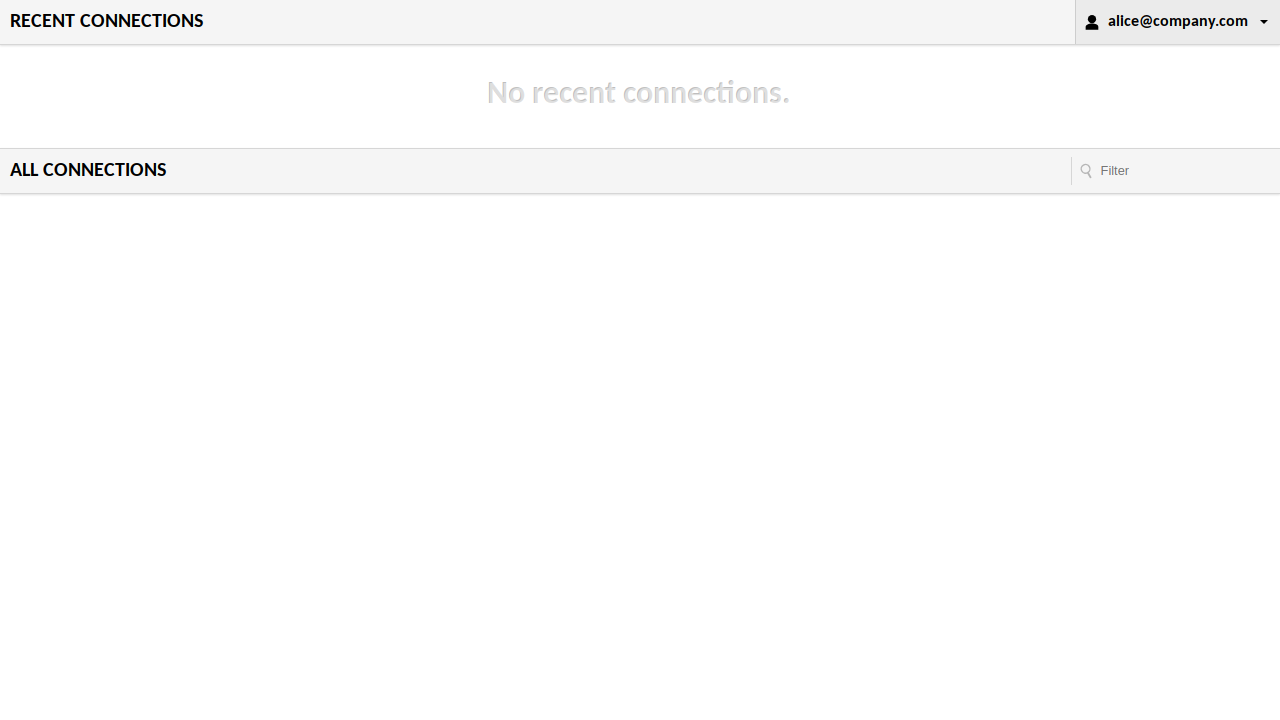
To confirm it's the header (not a form login) that authenticated you, use the signed-in browser session to mint a token through Guacamole's REST API. Open your browser's developer console on the Guacamole page and run:
await fetch('/api/tokens', {method: 'POST'}).then((r) => r.json());The response should include your forwarded email as
usernameandheaderasdataSource:{"authToken": "...", "username": "you@example.com", "dataSource": "header"} -
A disallowed user is blocked. Sign in as a user your policy excludes and open
https://guacamole.yourdomain.com. Pomerium denies access, so no identity header is forwarded and you never reach Guacamole.
Common failure modes
- Guacamole shows its own login form instead of signing you in. The header didn't arrive. Confirm the route has
pass_identity_headers: trueand ajwt_claims_headersmapping forX-Pomerium-Claim-Email, and thatHTTP_AUTH_HEADERmatches it exactly. Unexpected internal error/password is an empty stringin the Guacamole logs. The web app can't reach PostgreSQL. Check thePOSTGRESQL_HOSTNAME,POSTGRESQL_USERNAME, andPOSTGRESQL_PASSWORDvalues on theguacamoleservice match the database, and thatinit/initdb.sqlwas generated and mounted.- Redirect loop or certificate errors. Make sure DNS for
guacamole.yourdomain.compoints at Pomerium and that Pomerium can obtain a TLS certificate. On the Core path,autocertneeds ports 80 and 443 reachable for Let's Encrypt; Zero manages certificates for you.
Security considerations
The header-auth model is only as safe as two properties the Compose file above enforces, plus two steps you own in production:
-
Pomerium owns the identity header. With
HEADER_ENABLED=true, Guacamole signs in whoever theX-Pomerium-Claim-Emailheader names, with no password. The header is unsigned, so its trustworthiness depends on Pomerium setting it. Pomerium overwrites any inbound copy of the header with the authenticated user before the request reaches Guacamole, so a client that forgesX-Pomerium-Claim-Emailthrough Pomerium is still signed in as its real identity, never the spoofed one. -
Guacamole is reachable only through Pomerium. The forged-header protection only matters if a client can't skip Pomerium and talk to Guacamole directly. The Compose file puts
guacd,postgres, andguacamoleon aninternal: truenetwork and publishes host ports only onpomerium, so nothing but Pomerium can route toguacamole:8080. If you deploy differently, keep Guacamole off public ports and off any network a client can reach. A client that could reach Guacamole directly would forge the header and bypass authentication entirely. -
Rotate or delete the default
guacadminaccount. Guacamole's database schema seeds a built-in administrator,guacadmin/guacadmin, that authenticates against the database, not the header. Header auth doesn't remove it: a client that reaches Guacamole's form login directly (off Pomerium) could sign in with it and get full admin access. Through Pomerium the forwarded header takes over before the form login runs, so remediate it in the database. Delete the row or give it a strong, unique password:docker compose exec postgres psql -U guacamole_user -d guacamole_db \-c "DELETE FROM guacamole_entity WHERE name = 'guacadmin' AND type = 'USER';" -
Scope the route policy to the group or domain that should have access. Header auth grants a Guacamole session to every user your Pomerium policy allows.
Operations
Guacamole's users, connections, and history live in PostgreSQL on the guacamole-data volume, so they persist across restarts.
docker compose down      # stop the stack, keep the database
docker compose down -v   # stop and delete the volumes (resets the DB, including guacadmin)