Bearer Token Format
Summary
Bearer Token Format controls how HTTP bearer token authentication is handled. There are 4 possible options: default, idp_access_token, idp_identity_token and jwt.
HTTP bearer tokens are tokens stored in the Authorization header prefixed by Bearer :
GET / HTTP/1.1
Authorization: Bearer Token
Pomerium's default behavior is to pass bearer tokens to upstream applications without interpreting them. Pomerium also supports creating sessions from tokens issued by an identity provider without needing to initiate an interactive login. If the idp_access_token option is used, then the bearer token will be interpreted as an IdP-issued access token. If the idp_identity_token option is used, then the bearer token will be interpreted as an IdP-issued identity token.
Since v0.30 access and identity tokens are supported by all IdPs, except Apple does not support access tokens, and GitHub does not support identity tokens.
If the jwt option is used, then the bearer token will be verified as a JWT issued by one of the trusted providers declared in identity_providers. Unlike the IdP options, the issuer does not need to be the route's sign-in identity provider, which makes this option suitable for machine identities such as Kubernetes service account tokens, SPIFFE JWT-SVIDs, and CI tokens. See Machine-to-Machine Access with Bearer Tokens for details.
This option can also be configured at the route-level.
How bearer authentication works
bearer_token_format decides what Pomerium does with the Authorization: Bearer header on a route:
- Extract. If the route's format calls for interpreting the token, Pomerium takes the value after
Bearerfrom theAuthorizationheader. - Interpret. The format says what the token is — an IdP access token, an IdP identity token, or a JWT from a trusted issuer — and Pomerium verifies it accordingly.
- Build a session. A session is derived from the verified token and its claims. The same token maps to the same session, so repeated requests are cheap.
- Authorize. The route's policy runs against the token's claims. Authorization is entirely policy-driven; verifying the token does not by itself grant access.
Two rules apply to every bearer route:
- A cookie and a bearer token are mutually exclusive. A session cookie comes from a browser; a bearer token comes from a machine. A request carrying both is rejected with
400 Bad Requestrather than guessing which one to trust. - A missing token is a denial, not a sign-in prompt. If a bearer route receives a request with no token, Pomerium returns
401 Unauthorized. It does not redirect to the identity provider, because there is no browser to follow the redirect.
The four token formats
| Format | The token is… | How Pomerium checks it |
|---|---|---|
default | Opaque to Pomerium | Passed through to the upstream unchanged. This is the behavior when the setting is unset. |
idp_access_token | An OAuth access token from your IdP | Validated with the identity provider; audiences are constrained by idp_access_token_allowed_audiences. |
idp_identity_token | An OIDC identity (ID) token from your IdP | Validated with the identity provider. |
jwt | A JWT from any issuer you trust | Verified locally against the public keys of a trusted provider declared in identity_providers, scoped to that provider's audiences. |
For the jwt format, identity_providers documents the verification model and per-provider settings, and Machine-to-Machine Access with Bearer Tokens walks through the workflow end to end.
How to Configure
- Core
- Enterprise
- Kubernetes
| Config file keys | Environment variables | Type | Default |
|---|---|---|---|
bearer_token_format | BEARER_TOKEN_FORMAT | string | default |
Examples
bearer_token_format: idp_access_token
BEARER_TOKEN_FORMAT=idp_access_token
Microsoft Entra
The az CLI can be used to get an access-token:
curl -H "Authorization: Bearer $(az account get-access-token --query accessToken --output tsv)" https://example.localhost.pomerium.io
Options
default: Pass bearer tokens to upstream applications without interpreting them.idp_access_token: The bearer token will be interpreted as an IdP-issued access token.idp_identity_token: The bearer token will be interpreted as an IdP-issued identity token.jwt: The bearer token will be verified as a JWT issued by a trusted provider (seeidentity_providers).
Set Bearer Token Format under Proxy settings in the Console:
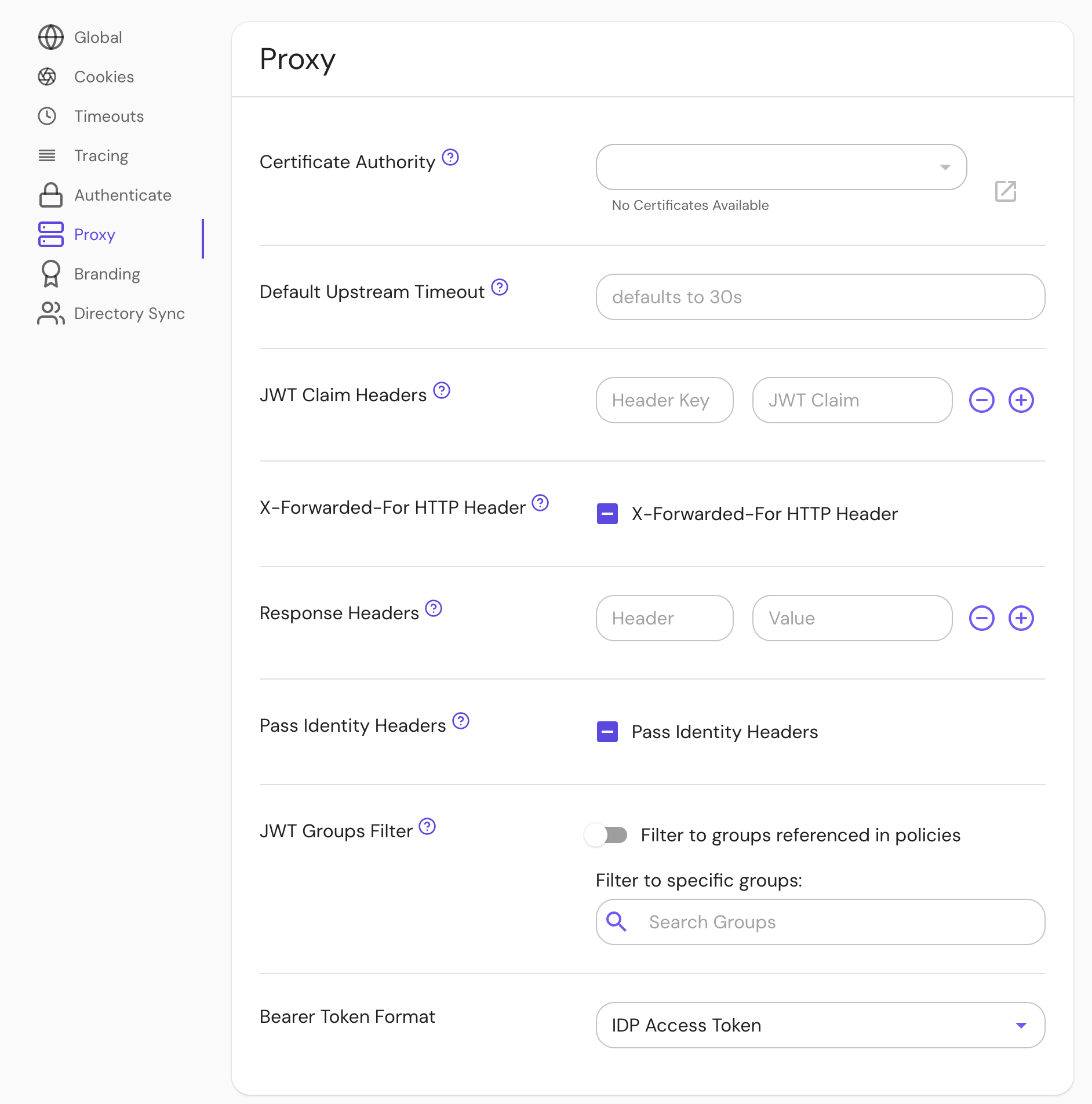
Options
- Unset: At the route level, use the global setting. At the global level, use "Default".
- "Unknown": Same as "Default".
- "Default": Pass bearer tokens to upstream applications without interpreting them.
- "IDP Access Token": The bearer token will be interpreted as an IdP-issued access token.
- "IDP Identity Token": The bearer token will be interpreted as an IdP-issued identity token.
- "JWT": The bearer token will be verified as a JWT issued by a trusted provider (see
identity_providers).
bearerTokenFormat: idp_access_token
See Kubernetes - Global Configuration for more information.