Identity Provider Settings
This reference covers all of Pomerium's Identity Provider Settings:
- Identity Provider Client ID
- Identity Provider Client Secret
- Identity Provider Client Secret File
- Identity Provider Name
- Identity Provider Request Params
- Identity Provider Scopes
- Identity Provider URL
- Identity Provider Polling Min/Max Delay
Pomerium uses the Hosted Authenticate Service by default.
If you want to run Pomerium with a self-hosted authenticate service, include an identity provider and authenticate service URL in your configuration.
See Self-Hosted Authenticate Service for more information.
Supported identity providers
Pomerium supports all major single-sign on (SSO) identity providers. See the identity providers page for a list of supported SSO providers and guides to integrate each provider with Pomerium.
Pomerium can also integrate with any identity provider that supports OAuth 2.0 and OIDC protocols.
Identity Provider Client ID
Identity Provider Client ID is the OAuth 2.0 Client Identifier retrieved from your identity provider. See your identity provider's documentation, and Pomerium's identity provider docs for details.
How to configure
- Core
- Enterprise
- Kubernetes
| Config file keys | Environment variables | Type | Usage |
|---|---|---|---|
idp_client_id | IDP_CLIENT_ID | string | required (if self-hosting) |
Examples
idp_client_id: idp_client_id
IDP_CLIENT_ID=idp_client_id
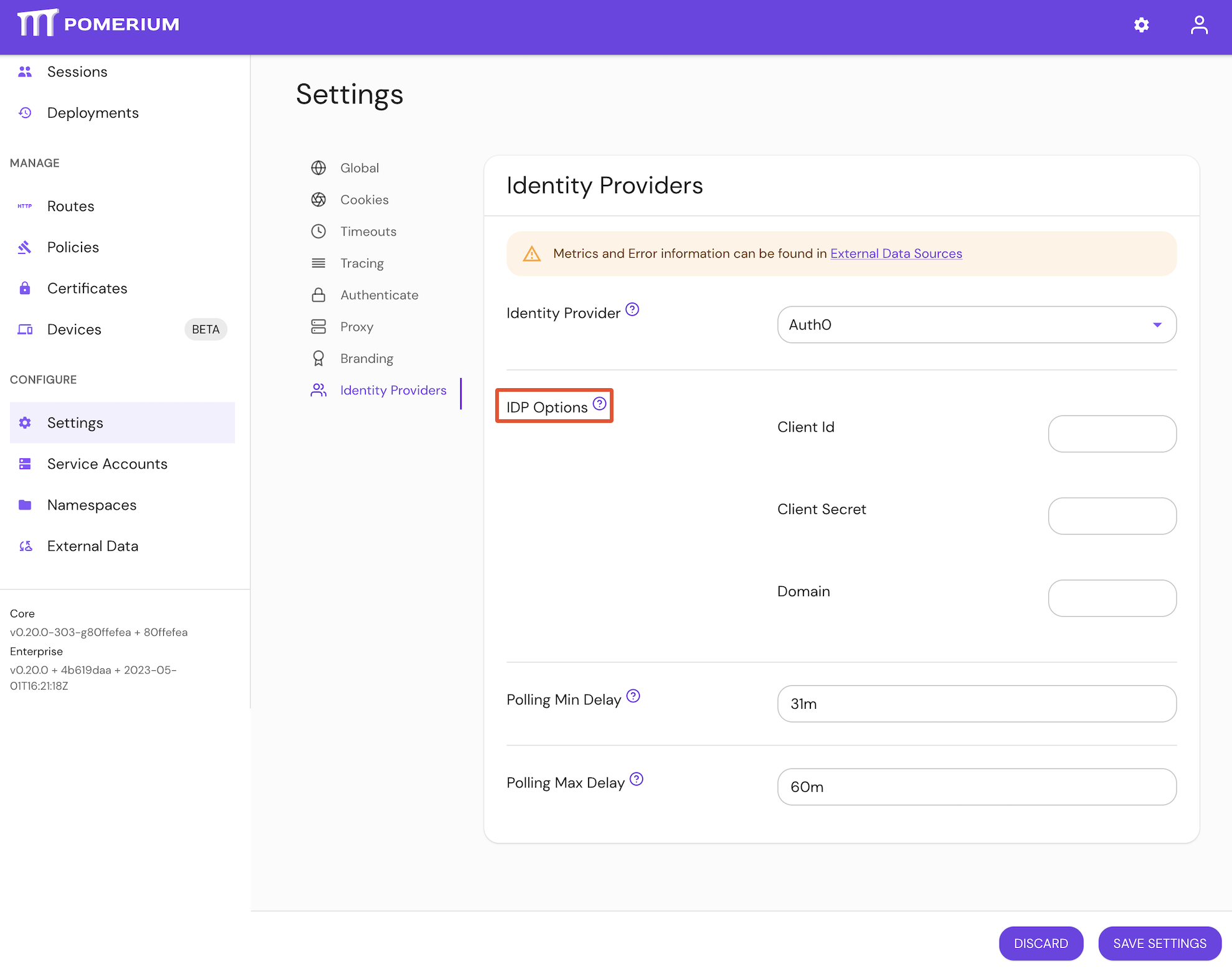
Configure Identity Provider Client ID under IDP Options in the Console:
The idp_client_id setting can also be configured by Terraform.
Identity Provider Client Secret
Identity Provider Client Secret is the OAuth 2.0 Secret Identifier retrieved from your identity provider. See your identity provider's documentation, and Pomerium's identity provider docs for details.
How to configure
- Core
- Enterprise
- Kubernetes
| Config file keys | Environment variables | Type | Usage |
|---|---|---|---|
idp_client_secret | IDP_CLIENT_SECRET | string | required (unless using idp_client_secret_file) |
Examples
idp_client_secret: idp_client_secret
IDP_CLIENT_SECRET=idp_client_secret
Configure Identity Provider Client Secret under IDP Settings in the Console:
The idp_client_secret setting can also be configured by Terraform.
See identityProvider.secret for more information
Identity Provider Client Secret File
Identity Provider Client Secret File is the OAuth 2.0 Secret Identifier retrieved from your identity provider. See your identity provider's documentation, and Pomerium's identity provider docs for details.
The identity provider client secret file points to a file containing the secret. This is useful when deploying in environments that provide secret management like Docker Swarm.
How to configure
- Core
- Enterprise
- Kubernetes
| Config file keys | Environment variables | Type | Usage |
|---|---|---|---|
idp_client_secret_file | IDP_CLIENT_SECRET_FILE | string | required (unless using identity_provider_client_secret) |
Examples
idp_client_secret_file: '/run/secrets/POMERIUM_CLIENT_SECRET'
IDP_CLIENT_SECRET_FILE='/run/secrets/POMERIUM_CLIENT_SECRET'
idp_client_secret_file is a bootstrap configuration setting and is not configurable in the Console.
See identityProvider.secret for more information.
Identity Provider Name
Identity Provider Name is the short-hand name of a built-in OpenID Connect (OIDC) identity provider used for authentication.
See identity provider for details.
The supported values for this setting are:
appleauth0azurecognitogithubgitlabgooglehosted(see Hosted Authenticate Service)oidcoktaoneloginping
How to configure
- Core
- Enterprise
- Kubernetes
| Config file keys | Environment variables | Type | Usage |
|---|---|---|---|
idp_provider | IDP_PROVIDER | string | required (if not using the Hosted Authenticate Service) |
Examples
idp_provider: auth0
IDP_PROVIDER=github
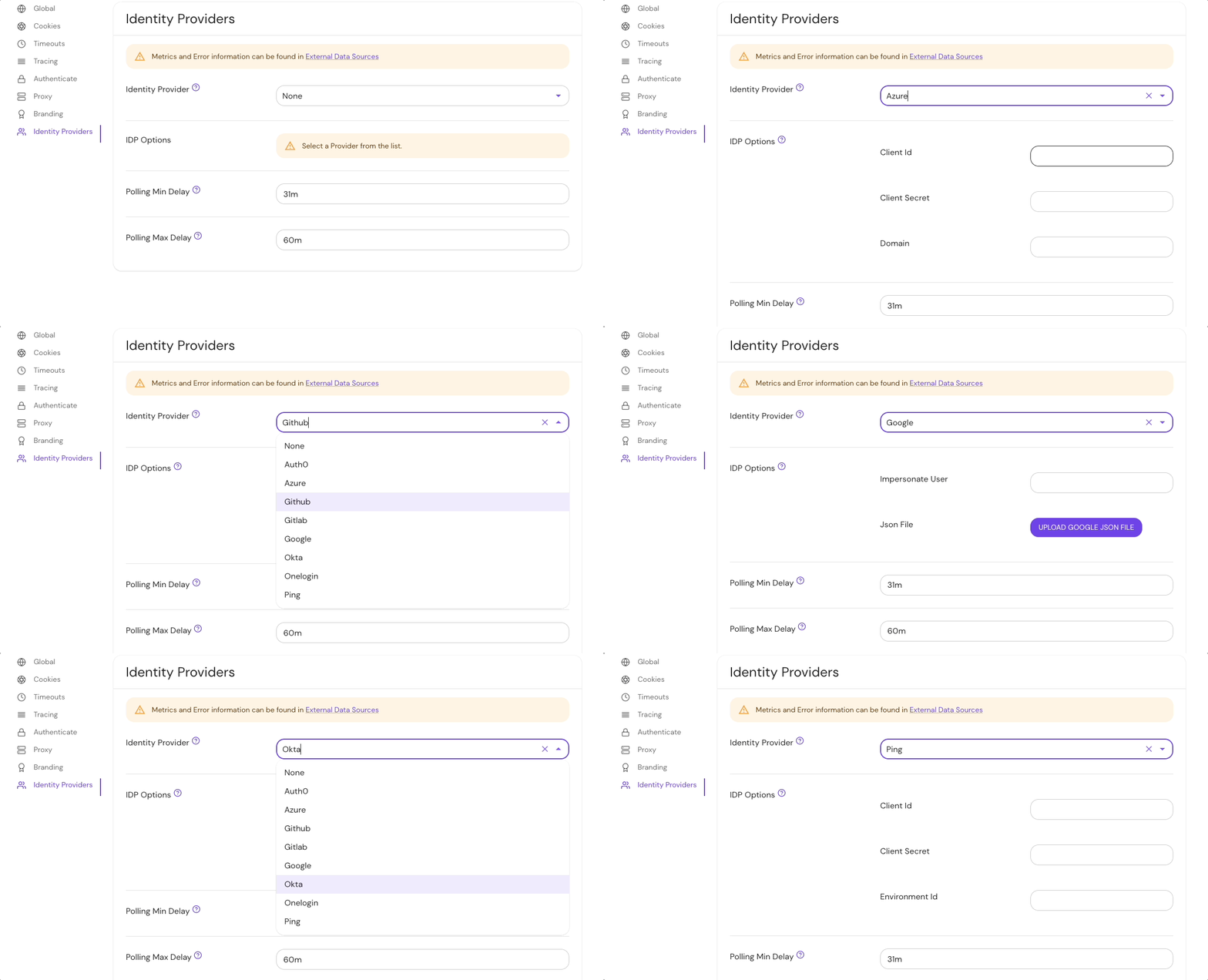
Set Identity Provider Name under the Identity Provider options in the Console:
The idp_provider setting can also be configured by Terraform.
See identityProvider.provider for more information
Identity Provider Request Params
Identity Provider Request Params lists the parameters you want to include as part of a sign-in request using the OAuth 2.0 code flow.
Do not set the client_id, response_type, redirect_uri, scope, state, or nonce parameters here. Pomerium sets these itself as part of the OAuth 2.0 code flow, and overriding them will break sign-in. Use this setting only for additional parameters your identity provider supports (for example, prompt or access_type).
How to configure
- Core
- Enterprise
- Kubernetes
| Config file keys | Environment variables | Type | Usage |
|---|---|---|---|
idp_request_params | IDP_REQUEST_PARAMS | string (map of key-value pairs) | optional |
Examples
idp_request_params:
  foo: bar
  baz: qux
IDP_REQUEST_PARAMS='{"foo":"bar", "baz":"qux"}'
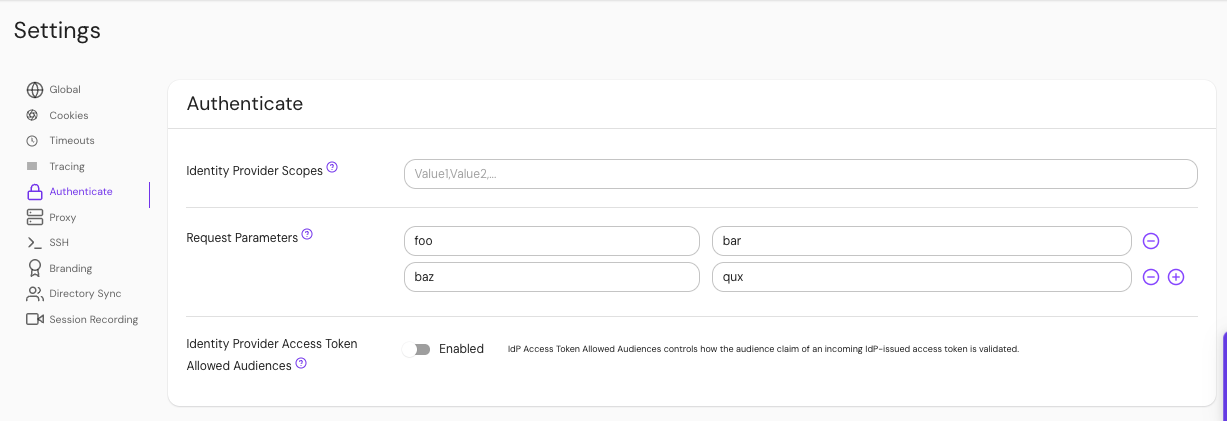
Configure Identity Provider Request Params under Authenticate settings in the Console:
The request_params setting can also be configured by Terraform.
See Kubernetes identityProvider.requestParams and identityProvider.requestParamsSecret for more information
Defaults
Pomerium includes some default parameters for specific identity providers. Setting this configuration option will replace these default parameters. To remove the default parameters entirely, set this option to an empty map* (e.g. idp_request_params: {} in the config file).
| Provider | Default parameters |
|---|---|
apple* | response_mode: form_post |
azure | prompt: select_account |
google | prompt: select_account consent |
*The default parameters for apple behave differently; any values set using this configuration option will be merged with the default parameters.
For more information, see:
- OIDC Request Parameters
- IANA OAuth Parameters
- Microsoft Azure Request params
- Google Authentication URI parameters
Identity Provider Scopes
Identity Provider Scopes correspond to access privilege scopes as defined in Section 3.3 of OAuth 2.0 RFC6749.
The scopes associated with Access Tokens determine what resources will be available when they are used to access OAuth 2.0 protected endpoints.
If you are using a built-in provider, you probably don't want to set customized scopes.
Some providers, like Amazon Cognito, do not support the offline_access scope.
How to configure
- Core
- Enterprise
- Kubernetes
| Config file keys | Environment variables | Type | Usage |
|---|---|---|---|
idp_scopes | IDP_SCOPES | string (list) | optional (for built-in identity providers) |
Examples
idp_scopes: openid, profile, offline_access, email
IDP_SCOPES=openid, profile, offline_access, email
Configure Identity Provider Scopes under Authenticate settings in the Console:
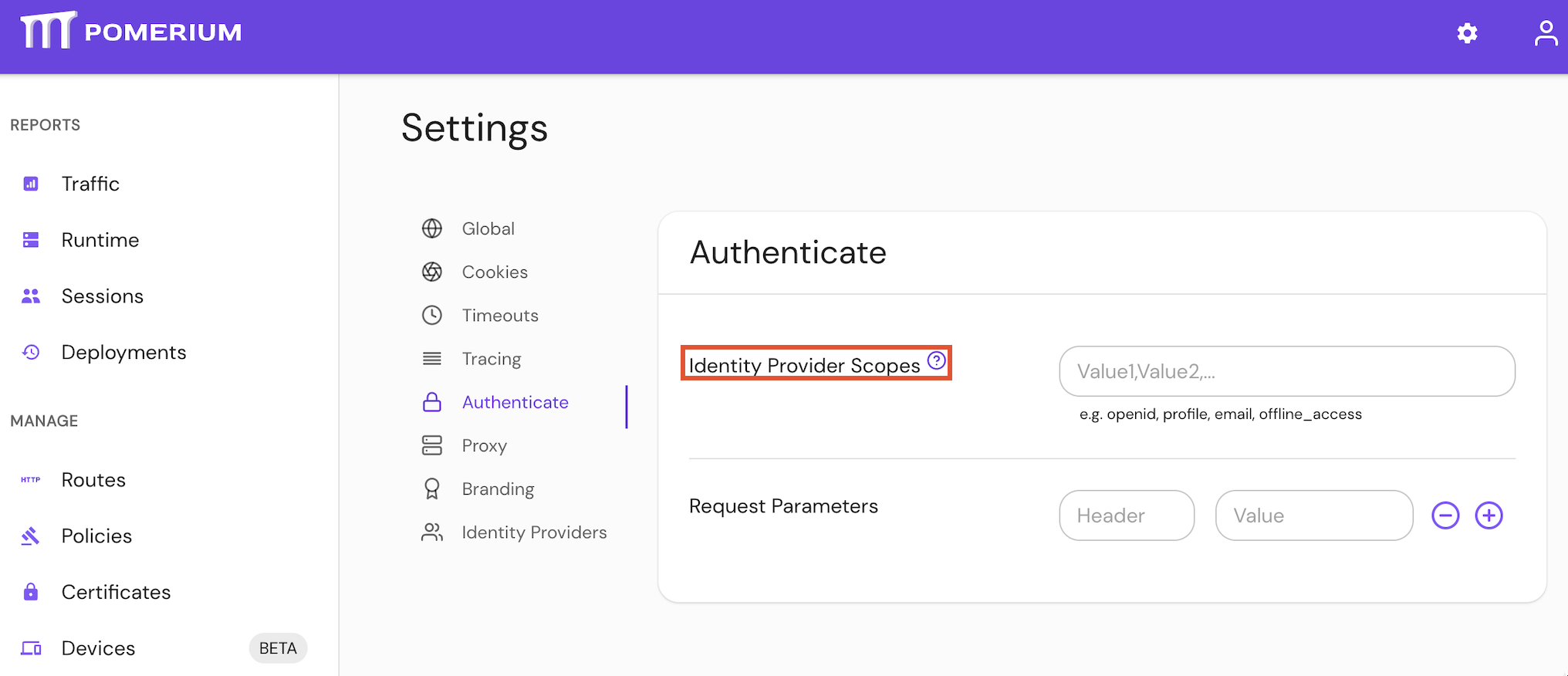
The scopes setting can also be configured by Terraform.
See Kubernetes identityProvider.scopes for more information
Defaults
| Defaults |
|---|
openid |
profile |
email |
offline_access |
Identity Provider URL
Identity Provider URL is the base path to an identity provider's OpenID connect discovery document. An example Azure URL would be https://login.microsoftonline.com/common/v2.0 for their discovery document.
"Base path" is defined as the section of the URL to the discovery document up to (but not including) /.well-known/openid-configuration.
How to configure
- Core
- Enterprise
- Kubernetes
| Config file keys | Environment variables | Type | Usage |
|---|---|---|---|
idp_provider_url | IDP_PROVIDER_URL | string | required (depending on identity provider) |
Examples
idp_provider_url: 'https://awesome-company.auth0.com'
IDP_PROVIDER_URL='https://awesome-company.auth0.com'
Set the Identity Provider URL under IDP Options settings in the Console:
The idp_provider_url setting can also be configured by Terraform.
See Kubernetes identityProvider.url for more information
Identity Provider Polling Min/Max Delay
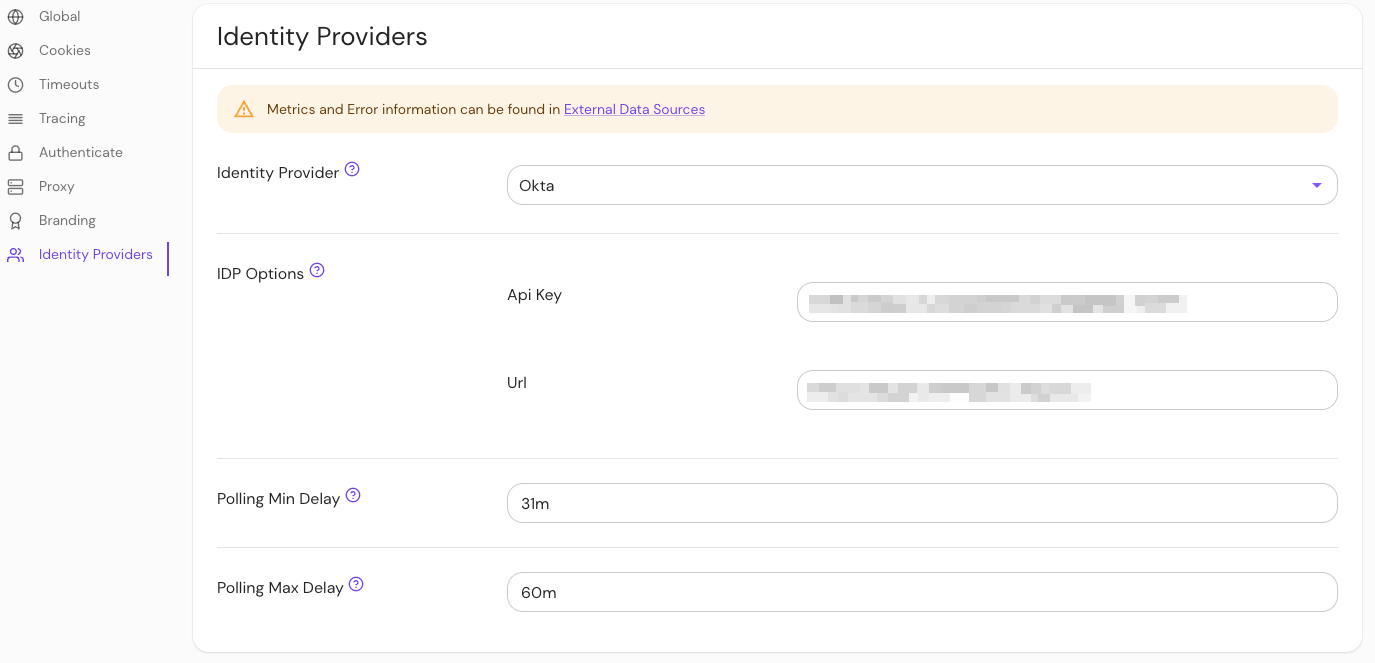
The Polling Min Delay and Polling Max Delay settings control how often the Enterprise Console syncs your directory from the identity provider, how long a single sync attempt may run, and how long the Console waits before retrying a failed attempt. A sync attempt includes fetching the directory from the identity provider and writing the changes to the databroker.
- Polling Min Delay sets two things:
- The timeout for a single sync attempt. If an attempt runs longer than this, the Console cancels it and records it as failed.
- The interval between successful syncs, measured from the start of one attempt to the start of the next.
- Polling Max Delay caps the delay between retries after failed attempts, also measured from the start of one attempt to the start of the next. The delay grows by about 1.6× with each consecutive failure (with ±20% jitter), up to this value. A successful attempt resets the delay to Polling Min Delay.
Polling Max Delay does not give a sync attempt more time. If your directory sync times out, increase Polling Min Delay until it is longer than a full sync takes.
Also set Polling Max Delay noticeably larger than Polling Min Delay, for example twice as large. Because a timed-out attempt has already used up Polling Min Delay, a Polling Max Delay equal to or smaller than Polling Min Delay (such as the 10m/10m default) makes the Console retry immediately after each timeout.

Pomerium Enterprise
These settings are an Enterprise Console feature. You can also set them with the Console's directory_provider_refresh_interval (Polling Min Delay) and directory_provider_refresh_timeout (Polling Max Delay) options.
How to configure
Set the Identity Provider Max/Min Delay settings in the Console:
Defaults
Both settings default to 10m, so by default a sync attempt that takes longer than 10 minutes times out. The durations you need depend on your identity provider and the size of your organization's directory.
If sync attempts time out, increase Polling Min Delay until a full sync completes within it. Because Polling Min Delay is also the interval between syncs, a larger value means the directory is refreshed less often.
Keep in mind that large directories may take several hours to complete.
Monitor directory sync
To determine the appropriate durations required to sync your directory, check your Console logs and the Last Error and Request Duration sections of the Console GUI.
In the Console logs, each sync attempt logs datasource: task started followed by datasource: task completed or datasource: task failed. An attempt cancelled by the Polling Min Delay timeout fails with an error that includes context deadline exceeded.
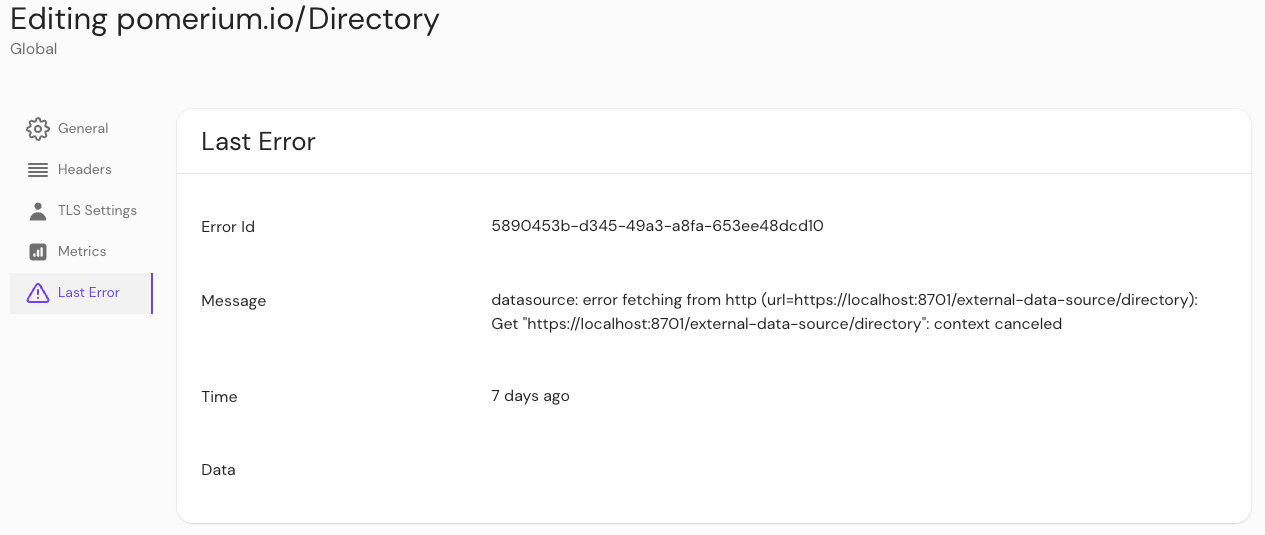
Last error
You can check if an error interrupted a job by checking External Data > Last Error.
Request duration
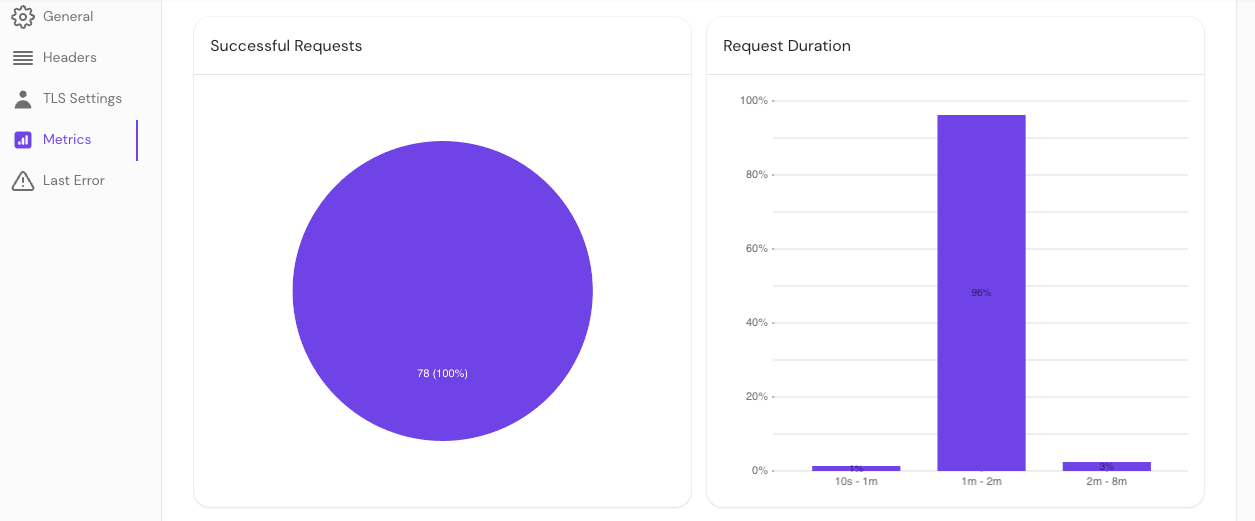
You can also check External Data > Metrics to view request durations.