Global Timeouts
Global Timeouts set the global server timeouts for HTTP request and response streams.
You can set also set route-level timeouts.
Timeout Flow Overview
The following diagram shows how different timeouts apply throughout the request lifecycle:
Timeout Settings Overview
| Timeout | Direction | Default | Purpose |
|---|---|---|---|
| Read Timeout | Downstream | 30s | Time allowed to receive complete request from client |
| Write Timeout | Downstream | 0 (disabled) | Total time for entire request/response cycle |
| Idle Timeout | Bidirectional | 5m | Closes inactive connections when idle |
| Default Upstream Timeout | Upstream | 30s | Time allowed for backend to respond |
Read Timeout
Read Timeout sets the maximum duration allowed for the entire downstream HTTP request to be received. This timeout starts when the downstream client initiates the request and ends when Pomerium has fully received the complete request (including headers and body) from the client.
Setting this timeout to 0 disables it. (This is not recommended, as it could allow malicious clients to consume resources with slow or incomplete requests.)
How to configure
- Core
- Enterprise
- Kubernetes
| Config file keys | Environment variables | Type | Default |
|---|---|---|---|
timeout_read | TIMEOUT_READ | Go Duration string | 30s |
Examples
timeout_read: 30s
TIMEOUT_READ=30s
Set Global Timeouts in the Console: 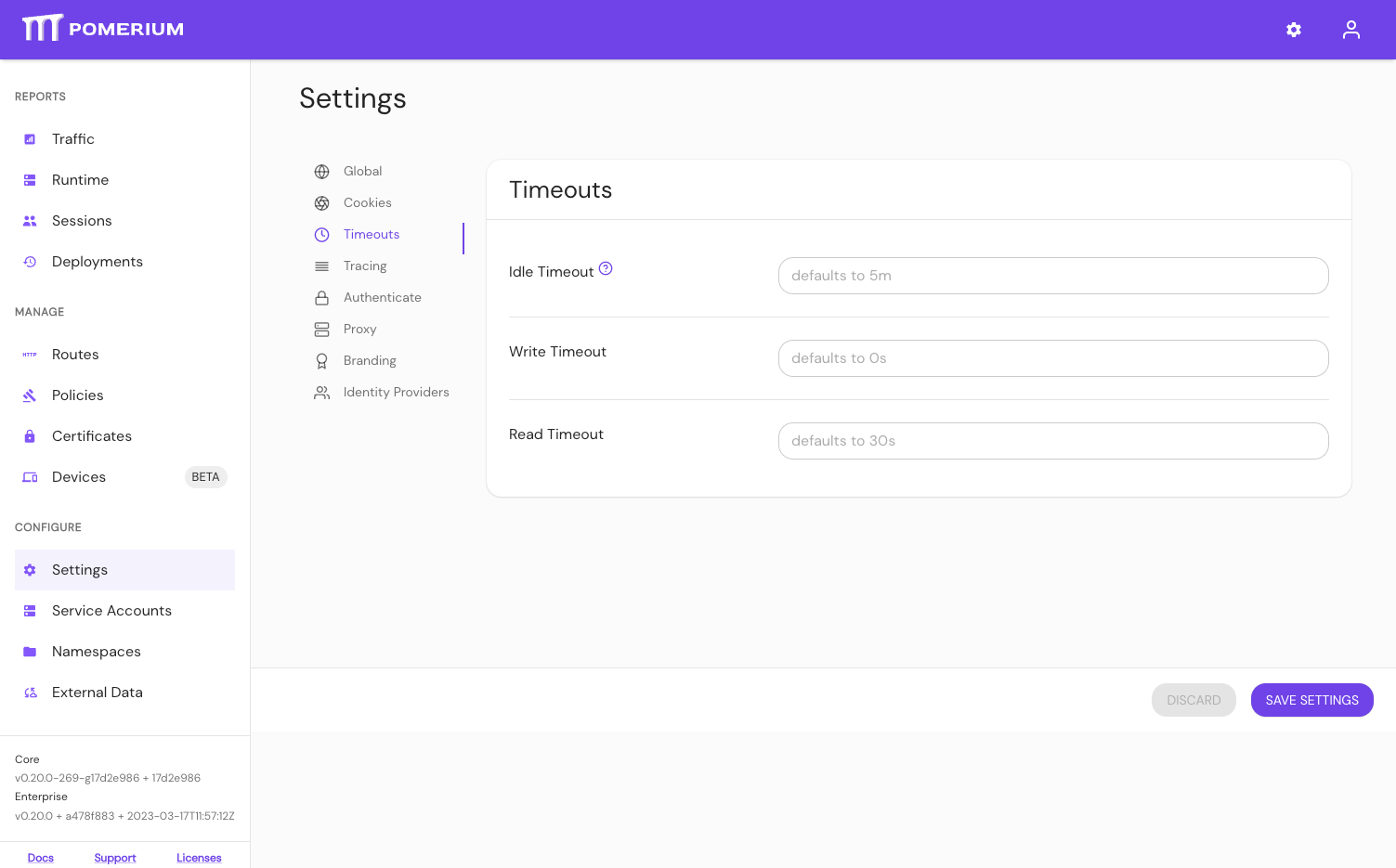
The timeout_read setting can also be configured by Terraform.
Write Timeout
Write Timeout sets the maximum duration allowed for an entire HTTP request/response cycle to complete. This includes both the time to receive the request from the downstream client and the time to send the complete response back. This timeout should be greater than the Read Timeout setting as it encompasses the entire request/response lifecycle.
Setting this timeout to 0 disables it, meaning there is no time limit for request/response completion.
How to configure
- Core
- Enterprise
- Kubernetes
| Config file keys | Environment variables | Type | Default |
|---|---|---|---|
timeout_write | TIMEOUT_WRITE | Go Duration string | 0 (no timeout) |
Examples
timeout_write: 0
TIMEOUT_WRITE=0
Set Global Timeouts in the Console:
The timeout_write setting can also be configured by Terraform.
Idle Timeout
Idle Timeout sets the duration after which an upstream or downstream connection will be terminated if there are no active requests or responses.
Setting this timeout to 0 disables it, allowing connections to remain open indefinitely when idle.
How to configure
- Core
- Enterprise
- Kubernetes
| Config file keys | Environment variables | Type | Default |
|---|---|---|---|
timeout_idle | TIMEOUT_IDLE | Go Duration string | 5m |
Examples
timeout_idle: 5m
TIMEOUT_IDLE=5m
Set Global Timeouts in the Console:
The timeout_idle setting can also be configured by Terraform.
Default Upstream Timeout
Default Upstream Timeout is the default timeout applied to a proxied route when no timeout key is specified by the policy.
How to configure
- Core
- Enterprise
- Kubernetes
| Config file keys | Environment variables | Type | Default |
|---|---|---|---|
default_upstream_timeout | DEFAULT_UPSTREAM_TIMEOUT | Go Duration string | 30s |
Examples
default_upstream_timeout: 30s
DEFAULT_UPSTREAM_TIMEOUT=1h45m
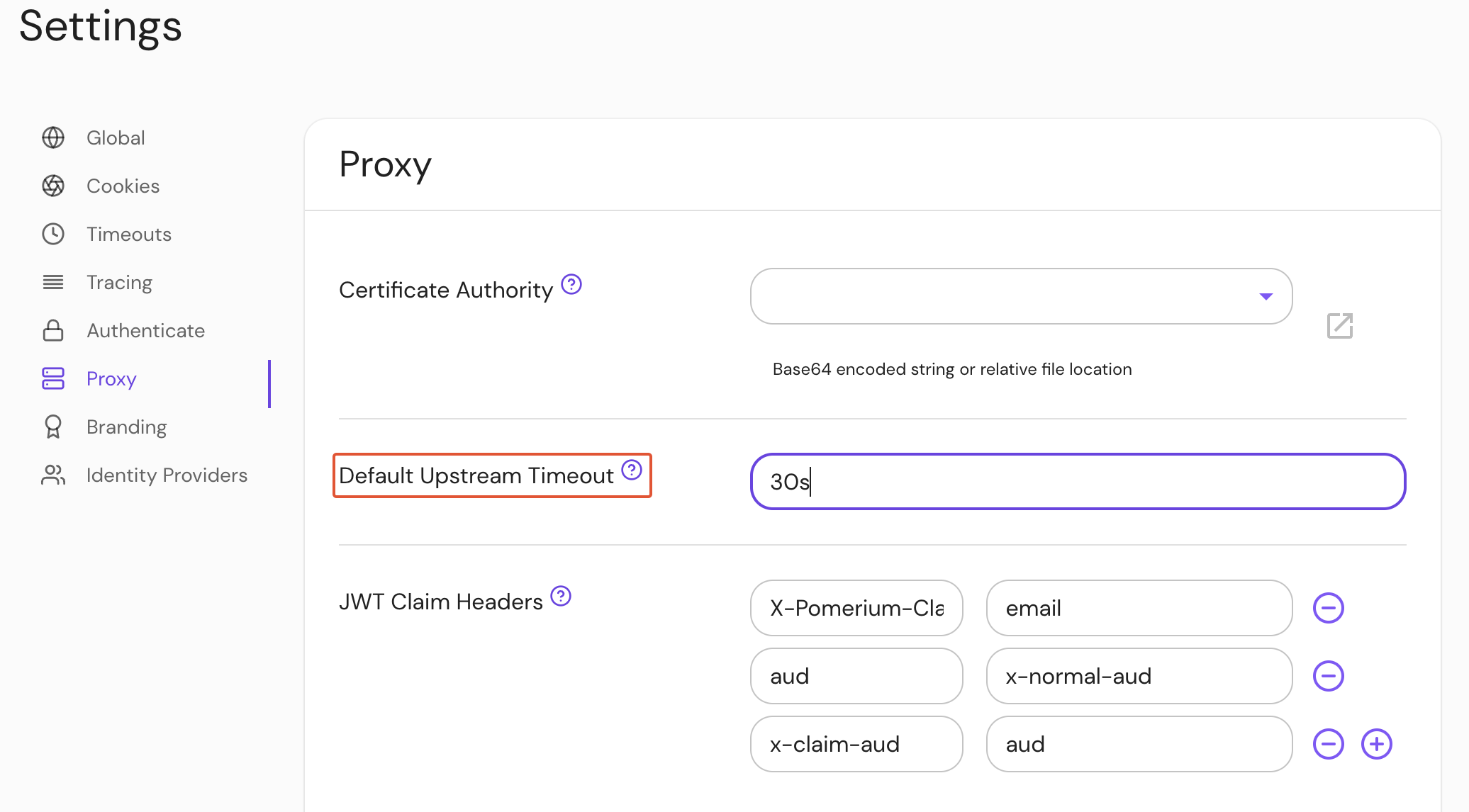
Set Default Upstream Timeout in the Console:
Kubernetes does not support default_upstream_timeout